

Home/Insights/Is ServiceM8 or Tradify the Better Fit?
ServiceM8 vs Tradify: which suits your trade business?
Start with the phones your crew uses, how many jobs you create and which reminders you need. Those differences matter more than a long list of features that both products offer.
By Jonathan Lambrianidis · Updated 19 October 2026
Shortlist ServiceM8 if your crew uses iPhones and you want paid plans that cover unlimited users with a monthly job allowance. Shortlist Tradify if your crew needs iPhone and Android access and you prefer to budget per user. Both cover quoting, scheduling and invoicing. Check the plan and the field workflow before choosing.
Australian vendor pages checked 19 October 2026. Reconnect Digital sells implementation and ongoing systems support. This is a comparison of vendor documentation, not a hands-on product benchmark or a claim of partnership with either company. The recommendations below are our interpretation of the documented differences.
Compare the work your crew actually does.
| Decision | ServiceM8 | Tradify |
|---|---|---|
| Crew devices | The full mobile app is optimised for iPhone and iPad. ServiceM8 Lite for Android is aimed at staff needing basic field functions. | Apps for iPhone, iPad and Android, plus desktop browser access. Test the same required tasks on each crew device. |
| Subscription model | Paid plans include unlimited users and a monthly allowance of new jobs. Free is limited to one user. | Lite, Pro and Plus are priced per user. Ask about team pricing if you have a larger crew. |
| Quotes and follow-up | Quotes, online acceptance and automated quote follow-up are listed in all plans. Confirm the message allowance. | Basic quotes are in Lite. Pro adds quote options, online acceptance and quote/invoice reminders. |
| New enquiries and scheduling | Online Bookings is listed in all plans. Configure the service, price and available times before offering customer bookings. | Scheduling is in Lite. Pro adds an enquiry form and email inbox. Turning an enquiry into a quote is a documented workflow. |
| Accounting handover | Xero, MYOB and QuickBooks Online connections are documented. Approval sends an invoice to Xero. Invoices created in Xero do not flow back into ServiceM8. | Xero, MYOB and QuickBooks Online sync is listed. Agree where invoices are approved and how payments are reconciled with your bookkeeper. |
| Support and maintenance | The vendor lists chat and email support. Your team still needs an owner for templates, staff access and workflow changes. | The vendor provides support and help resources. Decide who maintains forms, reminders and staff permissions after setup. |
Device sources: ServiceM8 device compatibility and Tradify scheduling and mobile access. Workflow sources: Tradify enquiry-to-quote instructions, ServiceM8 Xero sync and Tradify invoice approval.
An enquiry form, customer quote acceptance and a customer selecting a free calendar slot are different functions. If self-booking matters, ask each vendor to demonstrate that exact journey. A scheduling screen alone does not establish that customers can book themselves in.
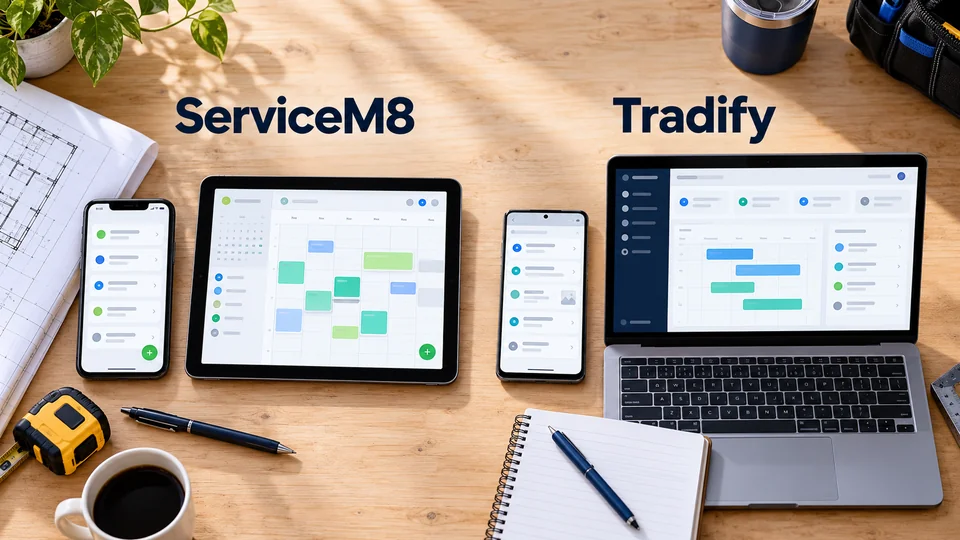
Australian plan prices use different units.
This is a standard monthly price snapshot, not a quote. ServiceM8 publishes Australian prices including GST. Tradify publishes Australian prices excluding GST. Each table keeps its tax and billing unit visible.
ServiceM8 plans
AUD per month, including GST. Paid plans include unlimited users.
| Plan | Monthly AUD | New jobs per month |
|---|---|---|
| Free | $0 | 30, with 1 user |
| Starter | $29 | 50 |
| Growing | $79 | 150 |
| Premium | $149 | 500 |
| Premium Plus | $349 | 1,500+ |
What changes the bill: the job allowance, feature tier, SMS allowance and optional services. Check those requirements against your workload.
Tradify plans
AUD per user per month, excluding GST.
| Plan | Monthly AUD per user | Example inclusions |
|---|---|---|
| Lite | $48 | Core jobs, quotes and invoices |
| Pro | $52 | Enquiry capture and reminders |
| Plus | $62 | Purchase orders and service reminders |
| Custom | By quote | Confirm your team requirements |
What changes the bill: the plan and number of users, plus SMS, an optional website and other extras. Ask about team pricing if you have a larger crew.
Sources: ServiceM8 Australian plans and Tradify Australian plans. Check those pages again before subscribing. Promotions, legacy accounts and negotiated team prices can differ.
For illustration, three Tradify Pro users at the listed rate cost $156 a month before GST, or $171.60 including GST. ServiceM8 Growing lists $79 including GST for unlimited users and 150 new jobs a month. That comparison assumes the listed plans cover your required functions. It excludes extras, setup, devices and training, so it does not establish the best fit.
ServiceM8 uses a job credit when you create a new job card, including a quote. Estimate that workload as well as completed jobs when choosing an allowance.
Two crews can reasonably choose different tools.
Three electricians, all on iPhones, about 100 new jobs a month
Start a ServiceM8 trial. The Growing allowance covers that example volume and the paid plan does not charge for each extra staff login. Test your certificates, quote acceptance and Xero approval before choosing a tier. An iPhone crew makes the device fit plausible, but does not prove the workflow suits you.
A four-person plumbing crew keeping a mix of Android and iPhone devices
Start a Tradify trial if everyone needs to quote and update jobs on their existing phone. Budget for the required user count and a plan that includes your reminders. ServiceM8 remains an option if its Android Lite functions cover the Android workers' tasks, or changing devices makes sense. Do not assume Lite is identical to the full iOS app.

Run the same job through both trials.
- Capture: use a test enquiry with an incomplete address. Confirm who requests the missing detail.
- Quote: use your own labour rates and materials, then send the quote to a test contact.
- Follow up: turn on an included reminder. Accept the quote and check that the reminder stops.
- Schedule: assign the job, move it and inspect the notification on the worker's actual phone.
- Complete: save photos, time and any required certificate. Check what is possible without mobile coverage.
- Invoice: approve a test invoice, inspect the accounting record and agree the reconciliation process with your bookkeeper.
- Recover: cancel or change the job. Check that the office and field crew see the same current state.
Use test contacts and your vendors' trial guidance. Avoid sending trial quotes or reminders to customers. Keep a simple record of what passed, what needed configuration and what remained unsupported.
Software is one purchase. Implementation is another.
If someone in your business can own setup, migration and staff handover, the subscription and vendor support may be enough. Paying someone else makes sense when that work has no owner, the records are scattered or handovers keep failing.
Reconnect Digital maps the process, checks the functions you already pay for and scopes configuration and supported connections. We do not assume that ServiceM8 or Tradify needs another CRM. Our proposal separates the software subscription, implementation and ongoing work, with responsibilities and a price in writing.
If missed calls are the gap, compare the phone options already available in your chosen platform before adding an AI receptionist. Then check where the captured enquiry, booking and follow-up will live. The CRM setup guide and enquiry follow-up page explain that handover.
Questions before you choose.
Is ServiceM8 or Tradify better for Android users?
Tradify offers an Android app alongside its iPhone and iPad apps. ServiceM8's full mobile app is optimised for iOS, with ServiceM8 Lite on Android for basic field use. Trial the required tasks on your actual devices rather than assuming feature parity.
Do I need another tool to chase quotes?
Check the included features first. ServiceM8 lists automated quote follow-up, and Tradify Pro includes quote and invoice reminders. Configure and test those functions before paying for another follow-up product.
Can either system connect to Xero?
Both document a Xero connection. That does not mean every record syncs both ways. Test invoice approval, changes and payments with your bookkeeper before replacing the current process.
See automated follow-up in action.
Answer a few questions and try the response on your own phone.
See what happens when an enquiry gets a reply while you're busy with the job. Add your details and watch the response arrive on your phone.
It's the same system we use in our own business, built around the way you work.
- A real response from the system
- No obligation to book anything
See the system in action.
Try the enquiry follow-up system on your own phone. Add your details, answer a few questions and see the response arrive.